
Written by
 Joshua Thompson
Article details
» 9 min read
Watch the Video
Video not loading? Watch on YouTube
Download The Deck
What is ‘Automation’?
“How we can use SYSTEMS to fill the role of a HUMAN To maximise the EFFICIENCY and PROFITABILITY of a Small UK business”
– JT
When people hear the word “automation,” their minds often jump straight to robots, AI, or huge corporations replacing people with tech. But for small business owners like us, automation is much simpler – and far more practical.
Don’t do manual tasks.
At its core, automation just means getting repetitive, manual tasks done without you having to do them yourself every time. It’s about using systems, tools, and simple workflows to take the load off your shoulders so you can focus on the work that matters – or just get your evenings back.
Think of it like hiring a reliable virtual assistant that never sleeps, doesn’t make mistakes, and doesn’t need reminding. Whether it’s automatically sending out a “thank you” email when a customer places an order, reminding a client their invoice is due, or moving a new lead into your CRM – automation is the invisible engine that helps your business run smoother behind the scenes.
Works with humans!
But here’s the key: automation doesn’t replace your human touch. It supports it. It gives you more breathing room to actually run your business with intent – rather than firefighting your inbox, chasing payments, handling WhatsApps or double-handling every admin task. You’re not trying to eliminate yourself – you’re just removing the friction.
And you don’t need a computer science degree to get started. Most automation tools today are designed to be “no-code” or “low-code,” which means if you can use Google Sheets, you can build an automation. Many of the best tools out there come with drag-and-drop interfaces and templates that make setup a breeze.
It’s not about being flashy – it’s about being smart. Instead of hiring more staff or burning yourself out, you start thinking like a systems builder. You identify the tasks that happen again and again, and you put a digital system in place to do it for you – consistently, accurately, and in a fraction of the time.
That’s automation. And in 2025, it’s no longer a luxury – it’s how small businesses stay lean, competitive, and sane.
“Before asking for more Headcount and resources, teams must demonstrate why they cannot get what they want done using AI.”
– Shopify CEO
Why Automate? (CMCM & The Principles)
“If you can’t measure it, you can’t manage it.”
– JT
As small business owners, our most limited resources are time and energy. If you’re spending half your week chasing invoices, manually inputting data, or replying to the same customer query for the tenth time – you’re not running a business, you’re working a job you created for yourself. That’s where automation comes in.
But before we dive into tools and workflows, it’s worth understanding why automation matters – not just what it does. I use a simple framework to explain this, which I call CMCM:
1. Capture
You can’t improve what you can’t see. Automation helps you capture every enquiry, every form fill, every missed task – and store it safely in the right place. No more leads falling through the cracks, forgotten follow-ups, or lost files. Capturing your data correctly is the first building block of a business that scales.
2. Measure
Once you’ve captured the right data, you can start measuring it. How many new leads came in this month? What’s your average payment turnaround? How long does onboarding take? With automation, this data is recorded automatically – so you’re not relying on memory, guesswork, or post-it notes.
3. Control
When you can measure something, you can start to control it. This is where small businesses start becoming efficient. You can spot bottlenecks, fix broken processes, and eliminate unnecessary steps. Automation gives you leverage – you’re not just reacting to problems, you’re proactively managing the flow of your business.
4. Manage
Now you’ve got a system that works without you constantly hovering over it. That’s the dream, right? Whether you’re out pitching to clients or taking a day off, your business keeps ticking along – enquiries get answered, invoices get sent, tasks get assigned. You move from daily firefighting to proper management.
The Real Reason to Automate
Ultimately, automation is about ownership. Owning your time. Owning your processes. Owning the ability to step back and know that things won’t fall apart without you.
It’s not about cutting corners – it’s about removing the busywork that slows you down and distracts you from doing the high-value work only you can do. Whether that’s creating, selling, or leading – automation helps you protect your time and energy so you can work on your business, not just in it.
And here’s the truth: if you don’t automate, you’ll hit a ceiling. You’ll either burn out trying to do everything yourself, or you’ll hire too quickly to stay on top of the chaos. But if you build a lean, smart system? You can scale without stress.
Basic Tech Stack
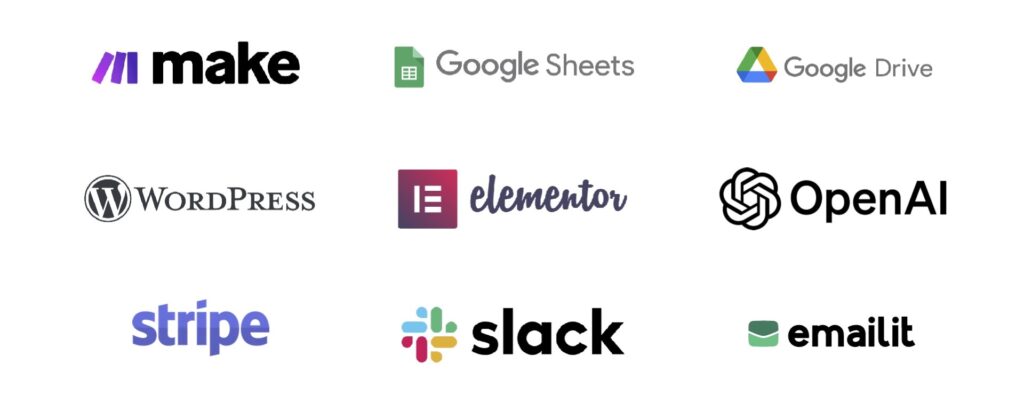
You don’t need a thousand tools or a Silicon Valley budget to automate your small business. What you do need is a simple, reliable stack of tools that talk to each other and save you time. Here’s the core setup I use across my businesses – all of which are beginner-friendly, budget-conscious, and ridiculously powerful when combined.
🧩 Make (formerly Integromat)
Make.com is the engine behind most of my automations. Think of it like the glue that connects all your apps together. It’s drag-and-drop, surprisingly visual, and way more flexible than Zapier once you get the hang of it. If you want to automatically send leads from your website into a spreadsheet, trigger Slack alerts when someone fills in a form, or email a customer when their invoice is paid – Make does all that and more.
📊 Google Sheets & Google Drive
Sometimes the simplest tools are the best. Google Sheets is where I store and manipulate most of my raw data – from form submissions to invoice logs. Google Drive is my filing cabinet in the cloud. Whether it’s uploaded receipts, generated PDFs, or auto-filled templates – it all lives here, safely backed up and searchable.
🌐 WordPress + Elementor
My websites are all built with WordPress, and Elementor gives me the flexibility to build beautiful, functional pages fast. With Elementor forms, I can collect enquiries, newsletter signups, or customer data – then use Make to send that data wherever I want: Slack, Sheets, or even AI tools. I even built an AI tool for Elementor I love it that much!
🧠 OpenAI
ChatGPT has changed how I run my business. I use it for writing, customer support replies, summarising feedback, drafting emails, and even generating image metadata. With Make, you can connect OpenAI to other tools so content or responses are generated automatically – saving you hours each week.
💸 Stripe
If you’re taking payments, Stripe is a no-brainer. It’s simple to set up, integrates beautifully with your website or booking system, and plays nicely with automation platforms. I’ve set up automations that fire when payments are received, updating logs, triggering confirmation emails, and even issuing receipts automatically.
💬 Slack
Slack isn’t just for teams – it’s a brilliant notification hub. I use it as a personal dashboard, sending alerts whenever something important happens: a form is submitted, a client pays, or a task is assigned. It helps me keep tabs on everything, without constantly checking a dozen tabs or inboxes.
📬 EmailIt
For email marketing, you need something simple and low-cost. I use EmailIt for automations like follow-up emails, welcome sequences, and product updates. It’s not the most famous platform out there, but it gets the job done and doesn’t bloat your costs like Mailchimp tends to.
Four Automation Examples You Can Set Up Today
Let’s break this down into four key business areas where automation can immediately save you time and mental load. Here’s one powerful, real-world example for each.
📥 Website Submissions
🛠 Example: Turn Form Submissions Into Sales Pipelines
When someone fills out your contact form or enquiry form on your website (e.g. built in Elementor), use Make to instantly:
- Store the form data in a structured Google Sheet
- Trigger a Slack notification so you or your team know a lead has landed
- Send an auto-reply email with a PDF or booking link using EmailIt
- Send the data to a CRM (like Notion or HubSpot) with a tag: “New Lead”
That’s four repetitive tasks handled instantly – and consistently – every time a form is submitted.
📊 Accounting
🧾 Example: Invoice + Payment Tracker
Every time a payment hits your Stripe account:
- Make pulls the payment data (name, amount, timestamp, item)
- It adds the transaction to your accounting sheet or Notion database
- If the customer is new, it adds them to a customer record in Google Sheets
- It emails them a branded receipt and thanks them for their payment
Bonus: use Make to detect overdue payments and send reminder emails automatically – no more chasing!
👥 HR
📂 Example: Streamlined Onboarding Workflow
Hiring a new team member? Instead of manually sending out documents and emails, automate it:
- When a new hire is added to a Google Sheet, Make triggers an onboarding sequence
- They get a welcome email with links to contracts, handbooks and your HR portal
- Their info is added to your employee database and tagged with their start date
- You receive a reminder in Slack 2 days before they start with a checklist
You can build this entire flow with Make, Google Drive, and EmailIt – no HR software needed.
🧠 AI-Automations
🤖 Example: Auto-Generate Content from Image Uploads
Let’s say you upload a product photo to WordPress. With one WordPress Media Upload automation:
- The webhook in make.com is triggered
- Sends the image to ChatGPT Vision via OpenAI
- ChatGPT generates alt text, a product description, and SEO-friendly tags
- The data is then passed into WordPress and the metadata is updated
That’s 15–20 minutes of work done in under 10 seconds – without lifting a finger.
Each of these automations replaces real, repetitive work – and runs quietly in the background every day.!
“Productivity isn’t everything but in the long run, it’s almost everything.”
– Paul Krugman, Professor of Economics
Final Thoughts
Automation isn’t about replacing humans – it’s about removing friction. As small business owners, we wear a lot of hats, and the reality is: most of the repetitive stuff we do daily isn’t where we add the most value. By automating simple workflows – from form submissions to follow-up emails, onboarding to invoicing – we create space to focus on the things that matter: strategy, growth, creativity, and actual human connection.
Start small. Pick one bottleneck in your workflow and automate just that. Once you see the time and headspace it gives you back, you’ll be hooked. Whether you’re a solo founder or leading a growing team, automation isn’t just a nice-to-have – it’s a competitive advantage.
This guide is just the beginning. If you want help setting up any of the workflows mentioned above, drop me a message – I’m always happy to share what’s working.
Here’s to doing more of the work you love – and letting automations handle the rest.
Last updated
Category
AutomationLikes
More posts
You might also enjoy
Automation
Make.com map() Function: Syntax, Examples and parseNumber()
Learn how Make.com’s map() function extracts and filters array values, how to combine it with join(), first() and max(), and when to use parseNumber().
JoshuaOctober 1, 2025
Automation
Free Make.com Reddit Scraper Blueprint
Download a free Make.com Reddit scraper blueprint that uses public RSS, cleans post data, filters ideas with AI and sends results to your content workflow.
JoshuaSeptember 17, 2025
Automation
Tracking Clicks Made Simple for your Business (and other ideas)!
Tracking Clicks for Business is the first step to smarter marketing. Grab free downloads and build your own easy metrics dashboard today!
JoshuaAugust 24, 2025
Star Rating
No ratings yet
Comments
No comments yet - start the conversation.